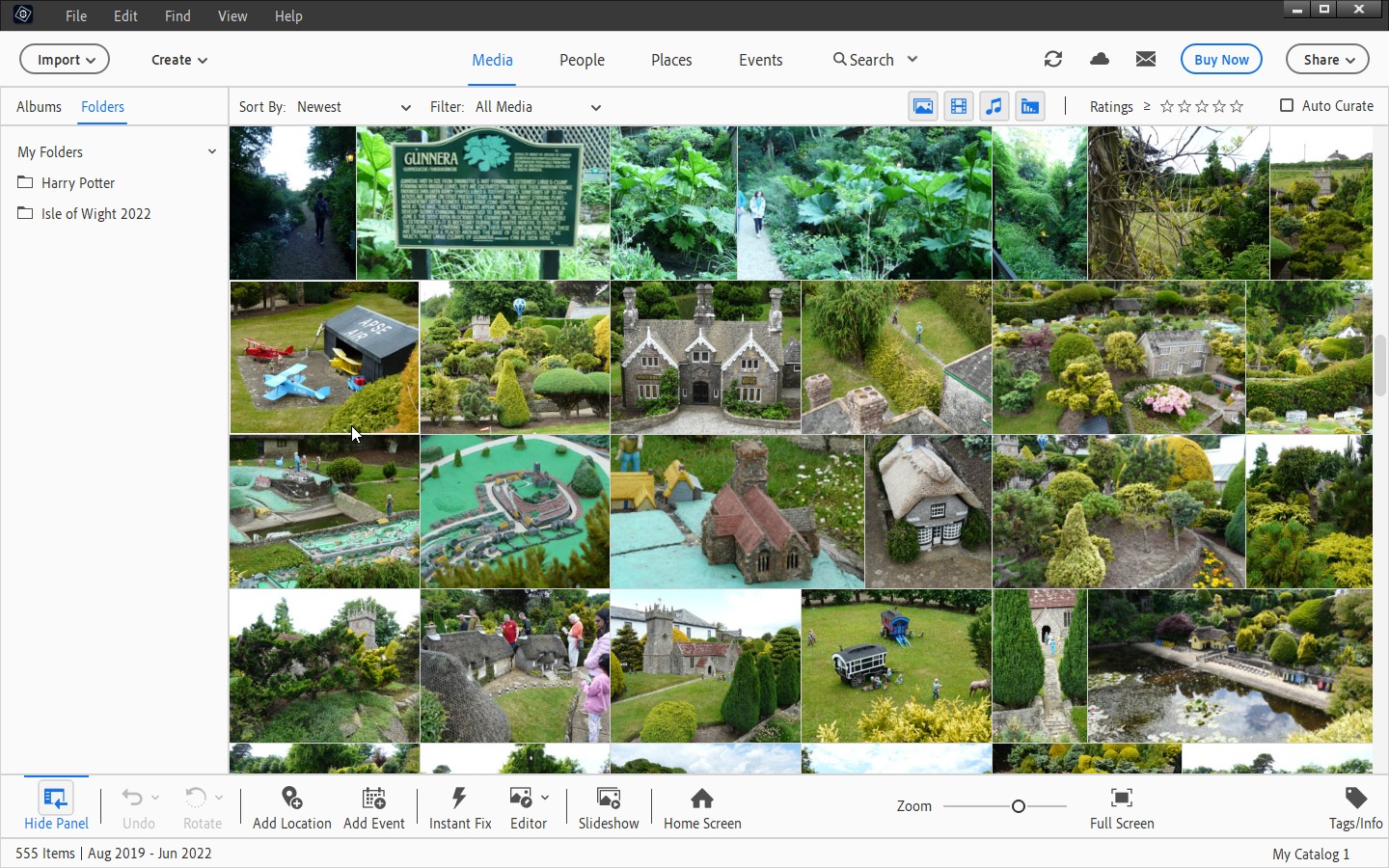
Adobe Photoshop Elements is the consumer version of Photoshop: low cost, easy to use, yet still full of powerful photo editing and management features.
The program makes it easy to organise your images into albums, for instance, and tag them with keywords so they’re easy to locate later. But that’s just the start.
It’s built around Sensei AI technology, which aims to take the hassle out of editing by providing a series of what’s known as ‘guided edits’ to simplify popular tasks, whether it’s automatically colourising old black and white photos, replacing backgrounds to add a bit more vibrancy, or making one-click selections of awkwardly shaped objects.
Throw in tools for removing unwanted objects and combining two shots into a single photo, and the sky is almost literally the limit (speaking of which, you can easily replace that too if it’s dull and uninspiring).
There are tools for creating shareable media, whether combining images with text, or creating photo collages or slideshows. Your favourite images can be shared with others via Google Maps, iPhones, your own online album, and more. And multiple backup options help keep your valuable photos save from PC disaster.
A recent new feature is the ability to transform a static photo into a moving image with just one click. The feature makes use of both 2D and 3D camera motion, powered by Adobe’s Sensei AI technology, to generate striking animated GIFs.
Photoshop Elements also makes a giant stride into the poster market by introducing ‘quote graphics’ – the ability to add personalised messages to existing pictures using a new tool packed with pre-set templates and options for both customising and animating images.
New guided Edit tools including one that helps transform dull landscapes by making it easy to swap out skies, remove haze and even erase unwanted objects. Elsewhere, a modern duotone effect has been added with a focus on social media.
Users also gain a step-by-step tool for moving, scaling and/or duplicating objects, along with the ability to tweak the position of people’s faces to ensure they’re ‘looking’ in the right direction.
The app’s Catalog tool – which includes albums, keyword tags, people, locations and more – is now automatically backed up too, ensuring none of your hard organisational work will go to unnecessary waste.
New for 2026 is the addition of AI. Bring ideas to life with generative AI, add new elements like magic with AI and restore photos with AI!
Verdict:
There’s plenty of competition, but Adobe Photoshop Elements is still the leading consumer photo editor. New features make it more powerful than ever.
Operating Systems:
Adobe
Free
4.00 MB
Specifications
Requirements
Intel 8th Generation or newer processor or AMD equivalent with AVX2 and SSE4.2 support. Windows on ARM processor not supported
Microsoft Windows 11 (version 23H2) or later
8GB RAM
9GB of free hard drive space
1.5 GB of GPU memory
Microsoft DirectX 12 compatible display driver
Changelog
What’s new in Photoshop Elements 2026 (see what’s new for more)?
NEW Bring ideas to life with generative AI. Type a description to create anything from a basic background to a detailed image.
NEW Add new elements like magic. Brush over an area and then type a description of an object to see it appear. It’s all powered by generative AI.*
NEW Restore photos with AI. Revive memories by erasing scratches, creases and wear and tear.
NEW Easy access to free Adobe Express templates. Take your photos further with thousands of free templates for social posts, videos, posters and more.
NEW Make anything disappear in seconds. The Remove tool now automatically detects people in the background of your photos for easy removal.
NEW Import mobile pics via QR code. Simply scan a code to quickly bring your mobile photos right into Photoshop Elements.
Learn and edit more easily than ever. Get up to speed with built-in tooltips and edit faster with modern crop handles, toolbars that adjust based on what you’re doing and a spell checker.
Import and view more easily in the Organiser. Quickly import from cloud services like Google Drive and OneDrive and get easier access to full-screen mode and zoom controls.
Deal of the Day
Adobe Photoshop Elements 2021