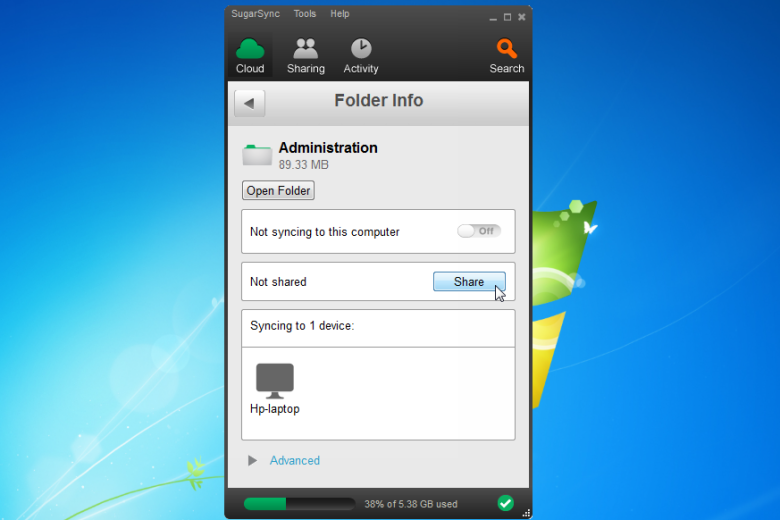
These days cloud-sync applications are ten-a-penny. Most people have learned the wisdom of using a cloud-sync service to not just back up but also keep the latest versions of their files on a myriad of different devices.
SugarSync is one of the more established backup and file synchronisation tools. Like many of its peers, SugarSync is cross-platform, letting you spread your documents far and wide across PC, Mac, Android and iOS.
Once upon a time it was genuinely innovative, but in recent times the competition has caught up and – in many ways – overtaken it. With that in mind, version 4 has been redesigned from the ground up, with a radically revamped user panel offering a multitude of new options.
Get an overview of all synced folders via the Cloud tab, or see which files have been recently updated through the Activity tab. There’s also a new Contacts section within the Sharing tab for easily sharing folders with individuals, which accompanies another new feature that brings public sharing of folders to SugarSync for the first time.
Other changes include the implementation of SugarSync Drive, giving users direct access to their cloud-stored files via a virtual drive visible in Windows Explorer and Finder, plus a new Cloud Search tool for quickly tracking down files and folders.
The interface redesign is matched in the web app and forthcoming mobile apps for consistently, while version 2 also provides users with direct access to their cloud-stored folders via the SugarSync Drive, accessible from Finder or Windows Explorer like any other.
SugarSync does have the option of letting you choose exactly which folders on your PC are synced, though, and also allows you to pick and choose which device(s) individual folders are synced with, which helps makes it a viable alternative to those frustrated by Dropbox or OneDrive’s rigid folder structures.
SugarSync is now a paid app and requires a subscription, so the download is a 30-day trial. Subscriptions start at $7.49/month for 100GB of cloud storage.
Verdict:
Despite the slick redesign and welcome array of new features, issues with performance and various glitches make it difficult to wholeheartedly embrace this new build.
(3)
Backup & Recovery
Specifications
Changelog
What’s new in 4.1.3 (see the changelog for more detailed info)?
– 2FA support (coming later this month)
– Improvements to sign up process
Deal of the Day
-56%
Acronis True Image 2026 Advanced [1-D, 1-YR, 50GB]
Back up or restore a few files or your entire hard drive
Offer Ends In: