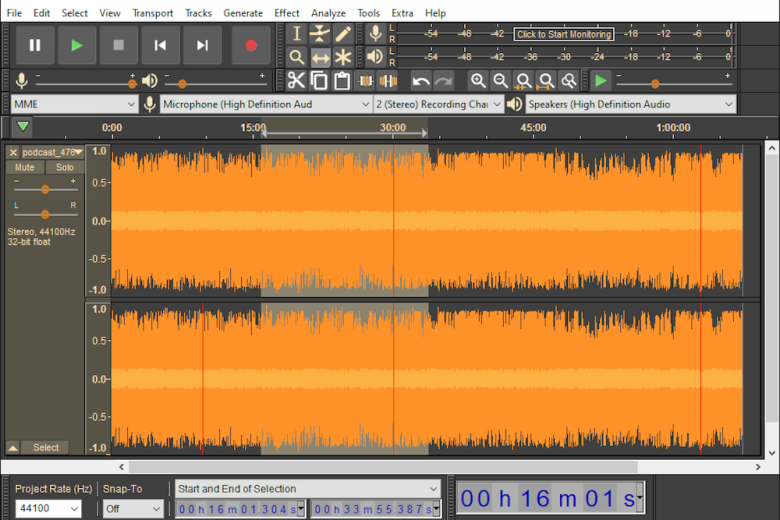
Gone are the days when you’d have to pay a pretty penny for a decent sound editing and mixing application. For the best part of a decade, Audacity has carved a niche for itself as a powerful, yet usable tool for sound editing. It’s capable of recording live audio, digitising your old vinyl and cassette collection, editing a wide range of audio formats (including Ogg Vorbis, AIFF, WAV and MP3).
The interface also makes it easy to cut, copy, splice and mix sounds together, alter a recording’s speech or pitch, plus apply various filters to cut out distortion or introduce special effects. In fact, Audacity is so versatile, you’ll often find it bundled with hardware devices such as ION’s range of turntables.
For a number of years Audacity has been available in two separate versions: an elderly, stable 1.2.6 release that doesn’t work on newer versions of OS X and Windows, and a long-running beta series that reached version 1.3.14 before it finally morphed into this, Audacity 2.0, more than six years after it first appeared.
That’s right, Audacity 2 is little more than a stable version of the long-running beta That means if you’re currently running the latest version of the beta you won’t see anything radically different from what you’ve been used to by upgrading to version 2.0. However, it’s worth upgrading to for one critical reason: it’s an official, stable release.
If you’ve religiously stuck with version 1.2.6, or are running an older 1.3.x beta build, then you’ll find there are plenty of reasons to update, from interface tweaks like improved toolbar docking, the ability to have multiple clips per track (while collapsing or expanding tracks in the workspace), repair and equalization effects, timer recording, improved drag and drop, plus project saving and recovery.
Note: while Audacity can import MP3 files, you will need to download and install the LAME MP3 Encoder plug-in if you wish to export your recordings in MP3 format.
Verdict:
An essential download for those looking for a powerful audio recording, editing and mixing tool.
(4)
Audio, Video & Photo
Specifications
Requirements
Changelog
Audacity 3.7 brings these improvements (see changelog for more):
– Improved Linux compatibility.
– Improved contrast in the light theme.
– MP3 exports: Renamed “Insane” to “Excessive”.
– Improved non-standard character handling for cloud saving.
– Renamed “Split cut/delete” to “Cut/delete and leave gap”.
– Pasting clips no longer moves clips on other tracks if “editing clips can move other clips” is enabled.
– Fixed database compacting not working properly sometimes.
– Improved startup speed on systems with many audio devices.
– Multi view: Fixed the hitbox of the x being misaligned with the visuals. (Thanks, Kurtsley)
– macOS: Fixed VST presets path.
– Adding, removing, replacing and reordering of effects now is undoable.
– Closing a project upon turning a realtime effect stack on and off doesn’t crash Audacity anymore.
– Canceling a stereo track mid-operation no longer crashes Audacity.
– Importing Opus files using libopus no longer shifts the audio data.