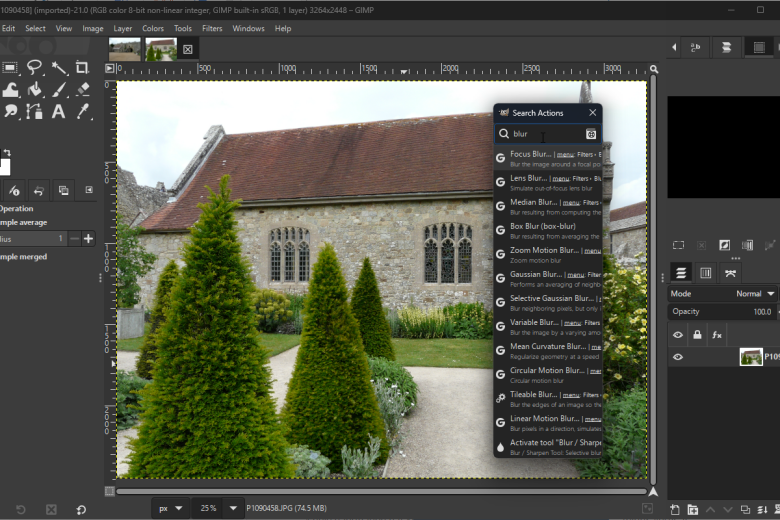
Image editors are ten-a-penny nowadays, so anything which wants attention from a divided audience needs to offer something quite special. GIMP (or the GNU Image Manipulation Program) is one of the most powerful free image editors available and is frequently described as being a free alternative to the likes of Photoshop.
This is a highly versatile tool which can be used as a basic drawing program, but can also be employed to edit digital photographs to a professional level. Despite being free of charge, opting to use GIMP does not mean having to compromise on features. Layers, masks, channels, filters and special effects, in addition to the usual range of editing tools, are all on hand to make image editing as easy as possible.
Powerful tools such as the correction mode which allows for the correction of barrel distortion and perspective problems are usually only found in expensive packages, but are included here for anyone to try out. Whether you are an amateur digital photographer, or a professional graphic artist, GIMP has something to offer you.
Anyone who has tried the program in the past will be pleased to see that GIMP is now a single file installation – there is no longer any need to install special libraries in advance. The program interface may take a little getting used to for some, featuring various floating panels rather than a single program window, but after this shallow learning curve, the program becomes joy to use.
Verdict:
An endlessly powerful image editor that can be continually extended through the use of plugins.
(4)
Audio, Video & Photo
Specifications
Changelog
GIMP 3 brings (see full changelog for more):
– Need to tweak a filter you applied hours ago? New in GIMP 3.0 is non-destructive editing for most commonly-used filters. See the changes in real time with on-canvas preview.
– Exchange files with more applications, including BC7 DDS files as well as better PSD export and many new formats.
– Don’t know how big to make your drawing? Simply set your paint tool to expand layers automatically as needed.
– Making pro-quality text got easier, too. Style your text, apply outlines, shadows, bevels, and more, and you can still edit your text, change font and size, and even tweak the style settings.
– Organizing your layers has become much easier with the ability to select multiple items at once, move them or transform them all together!
– Color Management was again improved, as our long-term project to make GIMP an advanced image editor for all usages.
– Updated graphical toolkit (GTK3) for modern desktop usage.
– New Wilber logo!
Deal of the Day
-3%
Adobe Photoshop Elements 2021 & Premiere Elements 2021
Offer Ends In: