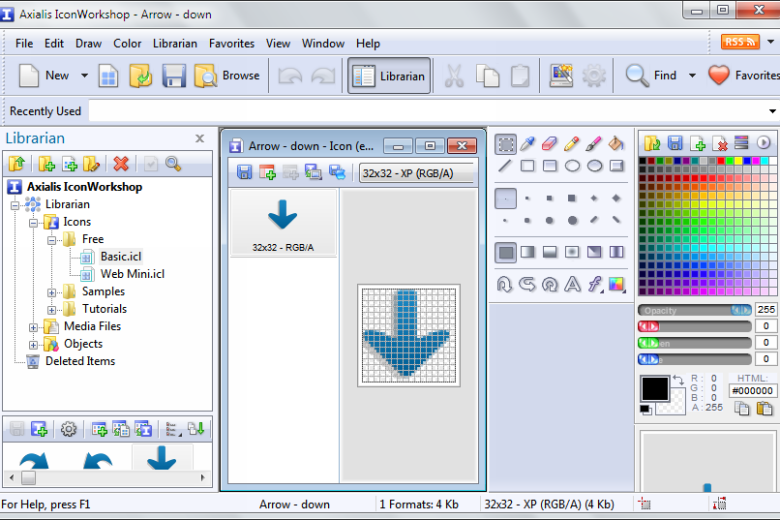
While there is a great selection of software that can be used to edit digital photo and create works of art from scratch, when it comes to working with the icon, there is far less choice. Icon Workshop looks to redress the balance, bringing many of the tools found in traditional image editors into a program designed for working with miniature masterpieces. The program can be used to create icons suitable for use in Windows, Linux and Mac OS, and allows for the use of alpha channels to create eye-catching transparency effects and smooth borders and shadows.
Existing image files can be converted into icons, or they can be started from scratch. Icon Workshop can also be used to create and edit Image Strips for use in program toolbars. When opting to create a new icons from scratch, image objects are on hand to make things quick and easy. These customisable and resizable ready made objects can be combined with each other to create a stunning icon in a matter of minutes. Professional level tools are available, and Photoshop images complete with layers can be imported to use as a starting point.
As well as creation and editing tool, an icon manager can be used to browse through existing icon libraries and extract icons from other files. Any icons which are found within other files can be loaded up into the editor and customised as required. Using Icon Workshop, it is easy to create icons that are things of beauty, working with a powerful, dedicated tool.
Verdict:
A powerful icon creation tool which has much more to offer than many alternatives.
Operating Systems:
Axialis Software
Free
32.00 MB
Specifications
Changelog
What’s new in 6.95?
– Dark Mode Interface (Windows 10+) – The entire interface now offers Dark Mode functionality, seamlessly transitioning when Windows is configured in Dark Mode. Additionally, users have the option to manually switch between Light and Dark Modes.
– 4 New Languages – The application is now available in 11 languages: English, Dutch, French, German, Italian, Portuguese, Spanish, Greek, Chinese, Japanese, Korean. The 4 last languages are currently offered as beta options. We welcome translators to suggest improvements.
– Bug Fixes and Enhancements – Various minor bug fixes and enhancements.
Deal of the Day
-25%
Xara Photo & Graphic Designer 16
A one-stop photo editing, illustration and design tool